
Every Volleyball Journey control for PC, console and mobile: the official bump, spike, set, block and dive keybinds, plus the timing behind each touch.
Volleyball Journey Controls & Keybinds
Volleyball Journey uses five actions on four inputs. The official description lists them exactly: Bump and Spike in mid-air are Click on PC or RT on console, Set and Block in mid-air are Q on PC or LT on console, and Dive is CTRL on PC or X on console. All keybinds are customisable, and mobile players get on-screen touch buttons instead.
- Bump / Spike — PC Click, Console RT
- Set / Block — PC Q, Console LT
- Dive — PC CTRL, Console X
- Customisable — the official description marks every keybind as changeable
- All devices — PC, console and mobile are all supported
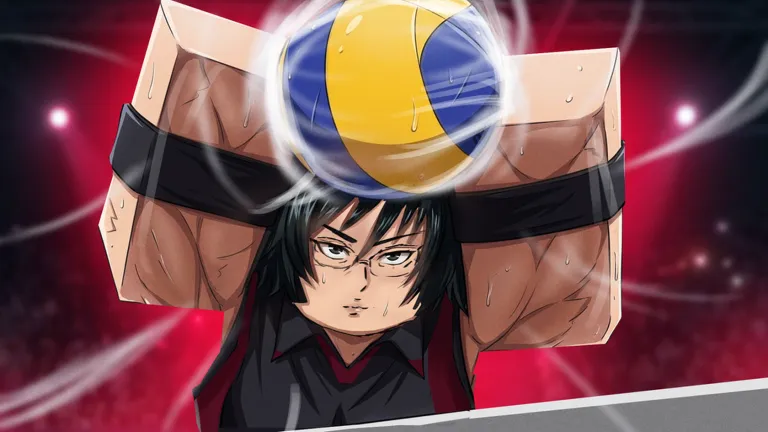
The Official Volleyball Journey Keybinds
This is the whole control scheme, taken from the game's own description rather than a community guess.
| Action | Context | PC | Console |
|---|---|---|---|
| Bump | Grounded contact with the ball | Click | RT |
| Spike | Contact while airborne | Click | RT |
| Set | Grounded, feeding a teammate | Q | LT |
| Block | Airborne contest at the net | Q | LT |
| Dive | Emergency reach for a falling ball | CTRL | X |
Two pairs share a single input, and that is deliberate. The game does not ask you to pick bump or spike from a menu; it reads whether your character is on the floor or in the air when you press. Grounded contact is a bump, airborne contact is a spike. The same split applies to Q, where the grounded version is a set and the airborne version is a block. Learn that one rule and the whole control scheme collapses into three buttons to remember.
Official source: Volleyball Journey on Roblox — the storefront description lists the keybinds verbatim as "Bump, Spike in Mid-Air - CLICK [PC], RT [CONSOLE]", "Set, Block in Mid-Air - Q [PC], LT [CONSOLE]" and "Dive - CTRL [PC], X [CONSOLE]", all marked Customizable.
Bump and Spike: One Button, Two Moments
The bump is the defensive contact and the most common action in any match. You use it to absorb a hard-driven ball and send it back up toward your setter. Because it shares Click with the spike, the difference is entirely in your feet. If your character is grounded, the input reads as a bump.
The spike is the attack, and it only triggers in the air. The window is small: you jump, then press Click as the ball arrives at your hand. Press too early and you connect while still rising, which sends the ball long or straight into the net. Press too late and the ball passes your hand, which looks like a whiff to everyone watching.
New players lose most of their spikes to the early press. The fix is to jump first and press second, treating the click as a reaction to the ball rather than part of the jump itself. If you are spiking every ball into the net, your timing is early, not your aim.
Set and Block: The Airborne Split Again
The set is the second-most-used touch and the one most beginners undervalue. It is a grounded press of Q that lifts the ball to a teammate, and it is how a six-player team actually functions. A team with no reliable setter ends up bumping the ball over the net on the third touch, which is a free point for the opposition.
The block is the same button in the air. You jump at the net and hold position in front of the attacker, and the input becomes a block instead of a set. Blocking in a 6v6 is less about the individual block and more about where you are standing; a block that arrives a step late is just a jump.
The bump-or-spike and set-or-block splits are decided by whether you are airborne at the moment of contact. Plan your jump before the ball crosses the net. Choosing to jump and choosing which button to press at the same instant is what produces the ugly, mistimed contacts beginners complain about.
Dive and Recovery
Dive is the only action with a dedicated button, and it is the one with the highest cost. It throws your character toward a ball that would otherwise land, and it commits you to a recovery window where you are on the floor and out of the play.
The practical rule is to dive late and only when the ball is genuinely going to touch the ground. A dive for a ball that a teammate was already covering is a wasted recovery, and in a 6v6 there is usually someone closer than you think. Use CTRL on PC or X on console when the ball is clearly beyond your normal reach, not as a routine receive.
Console, Mobile and Custom Keybinds
Console players use the triggers for the two shared inputs, which maps neatly onto the two-button logic. RT is the offence and defence button, LT is the set and block button and X is the dive. If you are used to PC, the muscle memory transfers quickly because the grouping is the same.
Mobile is where the game is weakest for a timing-based sport. The official description confirms the game is playable on all devices, and mobile players operate on-screen touch buttons, so the same five actions exist but without a physical button to feel for. The developer has not published individual mobile button labels, and they can be moved or resized by the player. If you have a choice between phone and PC, learn on PC.
Every keybind is marked customisable in the official description, which matters most for one case: players who cannot comfortably reach CTRL for the dive. Rebinding Dive to a mouse side button or a key near WASD removes the single most awkward input in the default layout. Customisability is also the reason no community guide can print a definitive keybind table for you; the defaults are official, and anything past that is personal.
If you want to see the controls in motion rather than read them, the community Discord is the fastest place to find clips, and a beginner walkthrough from the creator NETBLOXen covers the first matches on screen.
Common Control Mistakes
- Pressing spike while grounded. You bump instead, and the ball floats instead of attacking. Jump first.
- Setting when you should attack. The set is safe and easy, which is exactly why beginners over-use it and leave easy points on the court.
- Diving on every ball. Each dive costs a recovery window. Diving for a covered ball hands the opposition a free second contact.
- Rebinding before learning. The defaults map cleanly onto the airborne logic. Learn them before you change them, or you will not know which input you meant to press.
- Playing on a phone if you own a PC. Timing sports punish touch input, and this one is no exception.
FAQ
What are the Volleyball Journey keybinds?
Bump and Spike share Click on PC or RT on console, Set and Block share Q on PC or LT on console, and Dive is CTRL on PC or X on console. Those are the official defaults and every one of them is customisable.
How do I spike in Volleyball Journey?
Jump first, then press Click while airborne. Bump and Spike use the same button, so the game decides which one you get based on whether you are in the air at the moment of contact.
How do I block in Volleyball Journey?
Press Q while airborne at the net. Q is also the set button on the ground, so the block only registers if you are in the air when you press it.
Is Volleyball Journey playable on mobile?
Yes. The official description confirms the game runs on PC, console and mobile, and mobile players use on-screen touch buttons instead of keyboard or controller inputs. The touch layout is not documented publicly.
Can I change the controls in Volleyball Journey?
Yes. The official description labels both keybind sets as customisable, so you can move Dive off CTRL or remap either shared input if the defaults do not suit your hands.
Related Guides
- Volleyball Journey beginner guide — how the controls fit into the first-match loop.
- Volleyball Journey stat points — the attributes that make your timing windows more forgiving.
- Volleyball Journey game modes — where these controls get tested, from public matches to ranked.
More Volleyball Journey Guides
Volleyball Journey Limit Break is a reported progression system, not an official feature. What creators say, what stays unknown, and its likely role.
Volleyball Journey stat points come from leveling in public matches. See where to put them by position, what is still unconfirmed, and how Reset Tokens work.
Volleyball Journey traits explained: how rolls work, the two trait slots, Trait Token costs, and a tier list of the trait directions worth keeping.