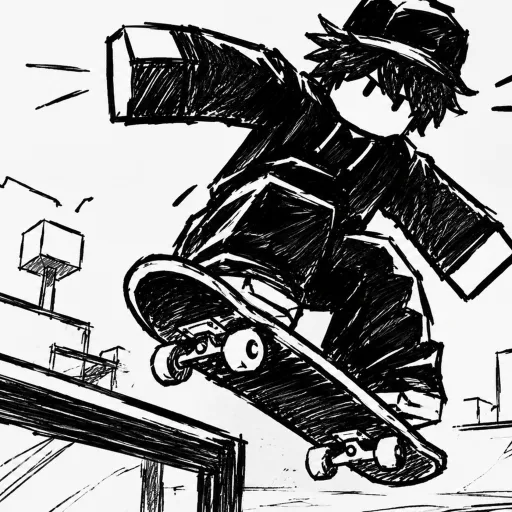
Skate Tree controls for keyboard and controller: movement, jump, camera and trick inputs, plus why the developer recommends playing on a controller.
Skate Tree Controls: Keyboard and Controller Layout
Skate Tree supports both controller and keyboard, and the developer's official description opens with one instruction: for the optimal experience, play on controller. Tricks are thrown by flicking the stick in different directions — there is no published per-trick input table, so the game's on-screen prompts are your authoritative mapping on any device.
- Official stance — controller recommended for the optimal experience (game description)
- Trick input method — stick flicks in different directions, per GamesRadar's walkthrough
- No published key list — in-game prompts are the final word for your device
- Both layouts playable — controller preferred; keyboard uses the standard Roblox scheme per the community wiki
The Official Controller Recommendation
This is the rare Roblox game whose store description leads with an input recommendation. The official listing states, verbatim:
Official source: UNIVERSITY DISTRICT Skate Tree on Roblox — the description reads "For the optimal experience, play on controller." followed by the developer's not-affiliated-with-EA notice.
GamesRadar reaches the same verdict in its own walkthrough: playing with a controller is highly recommended. Two sources, one recommendation, zero controversy — analog sticks give you the graduated input that trick flicks are designed around, and a keyboard's binary key presses cannot replicate a half-tilted stick angle.
The recommendation is about precision, not access. Keyboard players can and do skate; they just work with coarser input granularity on trick directions. If you own any controller that Roblox recognizes, plug it in before your first session and skip the relearning curve later.
How Tricks Are Thrown: Stick Flicks
The trick system is built on directional flicks rather than button chords. GamesRadar's walkthrough describes it plainly: you will need to flick the controls in different directions to pull off various tricks and moves and start racking up points. That is the closest thing to an official input description that exists in public coverage.
Here is the honest limitation: no authoritative source publishes which stick direction triggers which specific trick. The community wiki lists trick families — ollie, kickflip, heelflip, grind, grab — but does not commit to a direction-to-move mapping, and no tracker has verified one either. Anything claiming a complete input table right now is guessing or reading unverified community notes.
Skate Tree displays its own input prompts for your active device. Those prompts, not any webpage, are the final authority on what flicks what — the community wiki explicitly says the same. Open a session, pop into open space, and sweep the stick through each direction to map the moves yourself in about five minutes.
That self-mapping session is genuinely the fastest way to learn. Flick each direction on flat ground, note which trick fires, and repeat until the kickflip and heelflip directions stop needing thought. Our tricks guide turns that mapping into a practice order.
Controller Layout (Community-Reported)
The community-maintained skatetree.wiki offers the most detailed controller breakdown available, with the caveat that it is inferred rather than developer-confirmed:
| Input | Function (community report) |
|---|---|
| Left stick | Steering and movement |
| Right stick | Camera control |
| Shoulder buttons / triggers | Jump and trick inputs |
Treat that table as a strong hypothesis, not a spec sheet. The shapes match how every mainstream skateboarding game has mapped itself for fifteen years — left stick to roll, face buttons or triggers to pop — so the odds are good, but the in-game prompts override everything you read here. If your game version shows a different binding on screen, trust the screen.
The same community source notes the trick depth the controls feed into: the movement engine covers flip tricks, grabs, grinds, manuals and vert moves, with combos and bailing layered on top. Wide mechanical range is exactly why a precise analog input earns the developer's recommendation — more move families means more directional flicks competing for the same stick.
Keyboard Layout (Standard Roblox Scheme)
Keyboard players should expect the standard Roblox control scheme, according to the community wiki's keyboard notes:
| Input | Function (community report) |
|---|---|
| WASD | Movement |
| Space | Jump |
| Mouse | Camera |
| R | Reset character |
Again, the wiki itself frames this as the standard Roblox layout rather than a Skate Tree-specific confirmation, and it stresses that in-game prompts are the final reference. The practical advice: on spawn, read the on-screen prompts before assuming WASD does what you expect, and re-check them after any update — Roblox experiences rebind freely between patches.
The keyboard's real weakness in a trick game is the flick. Keyboard inputs register as discrete presses, so directional trick flicks come out less nuanced than on a stick. Keyboard players report the most success treating tricks as deliberate single motions — pick a direction, commit, land — rather than trying to curve inputs the way a stick allows. For camera-dependent line building, raise your mouse sensitivity in Roblox settings so quick 180-degree checks mid-line do not throw off your approach angle.
Camera, Landing and Settings Tie-In
Camera control is a real gameplay input here, not just a viewing preference: the community wiki assigns the right stick (controller) or mouse (keyboard) to camera duty, and spot-based line building demands quick camera swings between obstacles. Landing, meanwhile, is the skill that battles reward most — clean landings score in Spot Battles, so any control choice that makes landing unreliable costs points directly.
A couple of settings knobs are worth checking on day one, and the settings guide covers them in depth: camera behavior around landings, plus the performance mode toggle that players have reported seeing in-game. On the performance mode question specifically, treat it as player-reported evidence — a TikTok clip's comment section surfaced the mention, and no tracker has confirmed the option's exact behavior yet.
Cross-Platform Notes
The community wiki states the game runs on PC, mobile, Xbox and PlayStation. That claim has not been independently re-verified against platform listings, so treat it as community-reported. What is officially settled: the game is a Roblox experience, meaning any device that runs Roblox with controller support is a candidate — and the developer's controller recommendation applies to all of them equally.
Mobile deserves one caveat. If the flick system translates to touch controls, precision suffers further on a glass screen; the controller recommendation implicitly covers this case too. If you are skating on a phone, prioritize flat-ground basics and low-stakes sessions until your input method feels trustworthy.
FAQ
What are the controls in Skate Tree?
Movement and camera map to your device's standard inputs — left stick and right stick on controller, WASD and mouse on keyboard per the community wiki — while tricks fire through directional stick flicks. No authoritative public key list exists; the in-game prompts are the confirmed final reference.
Can I play Skate Tree on keyboard?
Yes, keyboard is playable, though the developer recommends a controller for the optimal experience. Expect the standard Roblox keyboard scheme (WASD move, Space jump, mouse camera, R reset) with tricks executed via directional flicks — the community wiki's keyboard notes are inference-level, so verify against the in-game prompts.
Why does the game recommend a controller?
Trick inputs are stick flicks, and analog sticks give graduated directional input that keyboard presses cannot match. Both the official game description and GamesRadar's walkthrough carry the controller recommendation — it is the closest thing to an official control directive the game has.
Is there an official key bindings list for Skate Tree?
No published list exists from the developer or any tracker. The community wiki's layout tables are explicitly inferred, and its guidance — mirrored here — is that the in-game prompts shown on your device are the final authority on every binding.
Does Skate Tree support mobile and console?
The community wiki reports PC, mobile, Xbox and PlayStation play, though that has not been independently verified. As a Roblox experience, any controller-capable Roblox device works in principle, and the official controller recommendation applies platform-wide.
Related Guides
- Skate Tree tricks guide — what to do with those flicks once you have mapped them: flips, grinds, grabs and combo lines.
- Skate Tree settings guide — camera, landing and performance options that complement your input choice.
- Skate Tree beginner guide — the first-session plan built around whichever layout you pick.
More Skate Tree Guides
What the Skate Tree Shop sells: board skins and cosmetics paid for with Points, plus the Redeem Code shortcut at the bottom of the shop screen.
How Spot Battles work in Skate Tree: take turns setting tricks on a spot, score points for clean landings and win with consistency over risk.
Every core trick in Skate Tree: how to kickflip, heelflip, grind rails and ledges, and chain combos for higher scores and cleaner lines.