
First Person Boxing platform guide: what changes between PC, mobile and console, the control trade-offs, and which one is easiest to learn on.
First Person Boxing PC, Mobile and Console Guide
First Person Boxing ships on three platforms — the official description lists PC • Mobile • Console — and all three play the same game with the same style pool and the same fighters. What changes is your input surface, and in a first-person fighter your input surface is most of your skill.
- PC — keyboard and mouse, the most precise camera and the largest input vocabulary
- Mobile — on-screen buttons, the Shop button appears on screen instead of behind B
- Console — controller input, supported per the official description
- Same game everywhere — styles, passes, codes and progress are not platform-locked
- Servers — 16 players, one-on-one bouts
What Actually Differs Between Platforms
The Roblox experience is the same build on every platform, so the differences are all input-side.
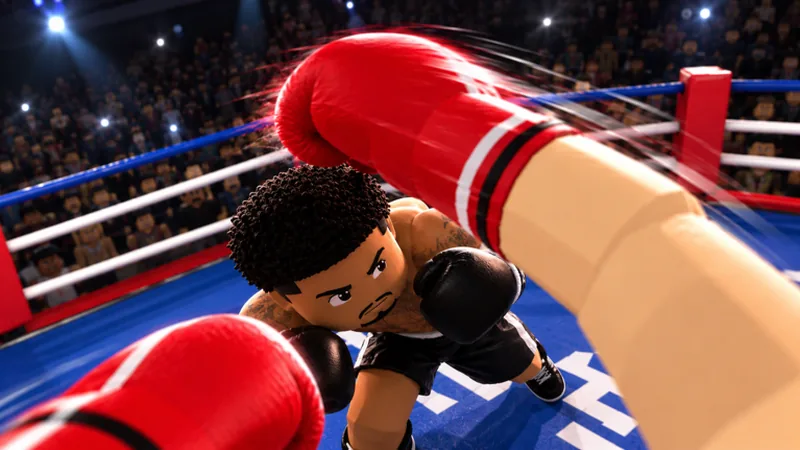
PC gives you a mouse for camera control and a keyboard for menus. Camera precision matters more here than in a third-person game, because your read on an incoming punch comes from the glove entering your field of view. A mouse lets you make small corrections without overshooting.
Mobile replaces the keyboard with touch buttons, and the Shop is a visible button on the left side of the screen rather than the B key. The trade-off is real: your thumbs occupy screen space, and the screen is your only defensive read. Players who learn on mobile tend to guard more and slip less, because guarding is a hold and slipping is a timed touch.
Console uses a controller, which is excellent for movement and stick-based guard direction and slower for menu navigation. The official description lists console support, and the game's code redemption flow includes console confirm buttons (A on Xbox, X on PlayStation), which confirms console builds are first-class rather than an afterthought.
Which Platform Should You Learn On?
If you have a choice, learn on PC.
The reason is not performance; it is feedback density. A mouse gives you finer camera control, which means you can watch the opponent's shoulder and still keep them centred. On mobile your thumb covers the lower half of the screen, which is exactly where the glove arrives from a body shot.
That said, mobile is not a trap. Roblox's mobile audience is enormous, and a player who learns on a phone will be matched against other phone players in practice. The habits that transfer — slipping on rotation rather than on the glove, guarding in two zones, watching the stamina bar — are identical.
If you are on console, treat the stick sensitivity as your first setting. Controller dead zones make small camera adjustments feel sticky, and a fighter that cannot make small adjustments will slip late.
Whatever platform you are on, spend five minutes in AI practice adjusting sensitivity until a full sweep is roughly a half turn. First-person combat punishes a camera that turns slower than your reactions.
Cross-Platform Play and Progression
There is no separate mobile or console version of the game, and no separate style pool. The Roll Styles screen, the four gamepasses, the group reward and the codes are the same on every platform.
That has two practical consequences:
- Codes redeemed on one platform work on your account everywhere. They are account-bound, not device-bound.
- A style you roll on mobile is available on PC. The data lives on the account, so switching devices costs you nothing but the input adjustment.
The one thing that does not transfer is muscle memory. Players who switch platforms usually need a few sessions to rebuild their slip timing, because the camera response is different even at the same sensitivity.
Mobile-Specific Advice
If mobile is your main platform, three adjustments close most of the gap:
Guard more, slip less. Slips are timed inputs and touch input has more latency than a mouse click. A held guard is more forgiving. Use the slip and counter guide for the timing, but lean on guards when the connection is imperfect.
Play in landscape with a stable grip. A first-person fighter needs both thumbs free. A case, a stand or a controller grip all help.
Turn off notifications before a session. A single banner over the ring is a lost round, and in first person you cannot afford to lose the screen.
Console-Specific Advice
Console players get the cleanest movement and the worst menu ergonomics. Two habits help:
- Learn the code menu path once. Every code redemption goes through the Shop menu, and on console that means navigating with a stick. Practise it before you have codes burning in a clipboard.
- Use the CONTROLS panel after every update. Controller bindings are the most likely thing to change silently in a patch.
Performance and Session Length
Roblox experiences are not hardware benchmarks, and this one is small: servers list 16 players, and fights are one-on-one. A phone from the last few years runs it.
The thing that actually varies is session length. The game's average session is reported around fifteen minutes by third-party trackers, which fits a game built on short bouts and quick rolls. That makes it a good mobile game and a good "one more round" PC game.
The game has been live since September 28, 2026 and had about 1.63 million visits by October 18, with roughly 6,658 players online at the time of writing. You will not be waiting for a match on any platform.
What We Could Not Verify
Two platform details are not published and are not documented here as fact:
- Exact framerate or graphics settings per platform. Roblox handles this internally and the game has no public options page.
- Mobile control layout. The game shows touch buttons, but no official screenshot documents their positions. The controls page covers what is confirmed.
Sources and Further Reading
- The official group behind the game: the official Can You Box? group
- Code payouts for players on any platform: Destructoid's First Person Boxing code list
Official source: First Person Boxing on Roblox — the official description lists PC, mobile and console as supported platforms and confirms that player-versus-player and AI practice fights are available.
Frequently Asked Questions
Is First Person Boxing on mobile? Yes. The official description lists mobile alongside PC and console.
Does First Person Boxing support controllers? Yes. Console is a supported platform, and the code redemption instructions include Xbox and PlayStation confirm buttons.
Is progress shared between platforms? Yes. Styles, passes, codes and Coins are tied to your Roblox account, not your device.
Which platform is best for First Person Boxing? PC, for camera precision. Mobile is viable and has the larger casual pool; console has the best movement but the slowest menus.
Can PC and mobile players fight each other? Yes. It is one Roblox experience with one server pool, so platform does not separate players.
How many players are in a server? Sixteen, with one-on-one bouts inside that lobby.
More First Person Boxing Guides
First Person Boxing stamina explained: the fatigue bar, cardio, why getting tired slows you down, and how to pace a fight without gassing out.
First Person Boxing styles guide: the Roll Styles screen, the five rarity tiers, the confirmed style names, drop rates and the 40-spin legendary pity.
A First Person Boxing style tier list built only from confirmed names and rarities, with what each tier means and how to judge a style yourself.